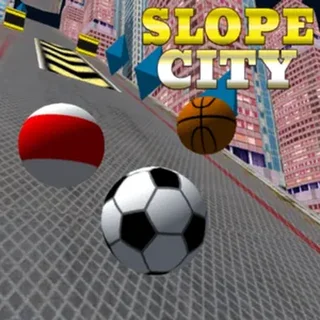



This is Slope unblocked: Rob Kay's original Unity build loads straight from playslope.io in an ordinary browser tab, so you can play Slope free on a school Chromebook or a laptop with no download and no sign-up. It needs a keyboard — steer with the Left and Right arrows or A and D.
Slope: two keys, one ball and a slope that keeps getting faster
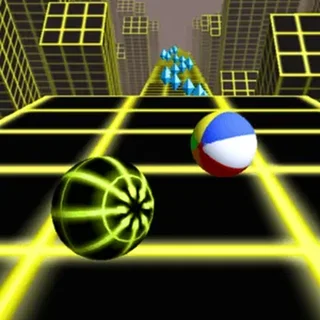
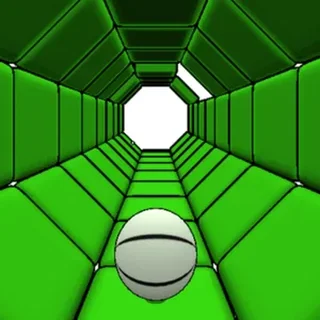
Slope was released in 2014 by Rob Kay as a small Unity WebGL game and became one of the most-played browser games ever made, mostly on school laptops. The pitch is tiny. A ball rolls down a wireframe slope drawn in green on black; the slope tilts, drops, bends into tunnels and throws up red blocks, and the ball gains speed with every second it stays alive. You have the Left and Right keys and nothing else. Everything the game asks of you is a matter of when to press them.
The build on playslope.io is the original Unity version, hosted on this domain, so it loads inside the page with nothing to install. It is fully keyboard-driven and runs at full speed on a Chromebook with an integrated GPU. A typical run is twenty seconds; a good one is a minute and a half; the online leaderboard in the menu shows what the best players manage, and it is a lot more than that.
Controls & mechanics
| Action | Control | Purpose |
|---|---|---|
| Steer left | Left arrow or A | Rolls the ball to the left; hold to drift across the whole track, tap to nudge a lane |
| Steer right | Right arrow or D | Same to the right; steering is momentum-based, so release early and the ball keeps sliding a moment |
| Restart | Play button after a fall | The run ends the instant you fall or touch a red block; the menu returns with your distance and a Play button |
| Menu | Name box, flag, Settings, Leaderboard | Type a name to appear on the online leaderboard; Settings adjusts quality and sound |
How to get further down the slope
- Look at the horizon, not the ball: The ball is at the bottom of the screen and the track is coming at you fast. Read the next two or three obstacles ahead of it and start moving before you reach them; by the time a red block is under the ball it is too late to react.
- Tap, don't hold: Holding a key slides the ball all the way to the edge, and past it. Short taps move it one lane at a time. Hold only on the wide open stretches when you need to cross the whole track.
- Use the banked walls: Sections where the slope curls up at the sides let the ball ride the wall and come back to the middle on its own. Steer into the curve slightly and let gravity finish the turn instead of fighting it.
- The drops are safe if you are centred: When the track ends in a ledge the ball flies and lands on the next segment. Aim for the middle of the track before the drop; steering in the air works, but the landing zone is narrow.
- Green means path, red means stop: Anything red is a wall. Anything with the green grid is track. The moving red blocks slide sideways on a fixed rhythm, so if one is in the way, wait for it to pass rather than swerving round it.
Key features
- Speed that never plateaus: The ball accelerates for the whole run. The first ten seconds are easy and the difficulty comes entirely from speed, not from harder track: the same obstacle that was trivial at the start is lethal a minute later.
- Randomised slope: The track is assembled from segments in a random order every run, so there is no route to memorise. Skill in Slope is reaction time and reading the track, not recall.
- Online leaderboard: Enter a name in the menu and your best distance is submitted to the global leaderboard. It is the original game's own board, not ours.
- Hosted here, loads in the page: The Unity build is served from this domain; no download, no account, and nothing inside the game asks for one.
Game info
- Title: Slope
- Developer: Rob Kay
- Category: Slope Games
- Platform: Web browser (HTML5)
- Controls: Left / Right arrows (or A / D) · keyboard only
Pro tip: The first fall almost always happens on a tunnel exit. The track inside a tunnel is flat and narrow, and the exit drops you onto a wider slope while the ball is still centred; the instinct is to steer, but the correct move is to leave the keys alone for a beat, let the ball settle on the new surface, and only then line up for the next block.